New Flow Editor is Officially LIVE
Welcome to Next-Level Flow Building!
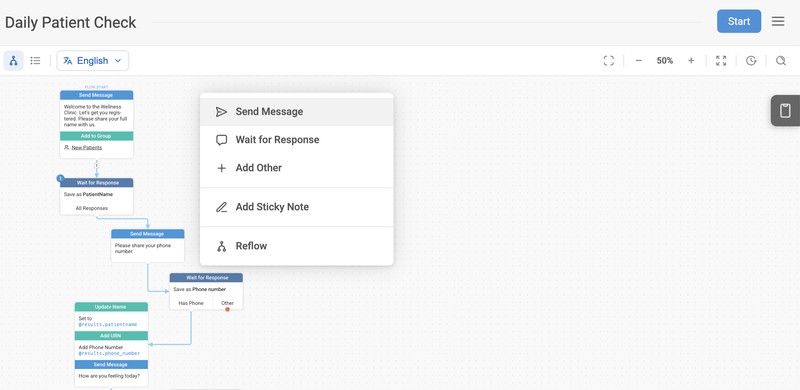
Big news: our Beta editor has officially graduated. It is now the exclusive editor for building flows on TextIt. We’ve been working hard to make flow building more efficient, and we’re excited to move into this new era of flow building with you!
While the core logic you love remains the same, we’ve packed the interface with features designed to make your life easier. Here’s a look at some of our favorites:
⭐ New Flow-Building Tools: You can now highlight, delete, and copy nodes with ease.
⭐ Flow View Controls: We’ve added dedicated zoom controls and a REFLOW button to keep your canvas organized automatically.
⭐ A cleaner, more intuitive UI.
Recent Updates:
Introducing Table View
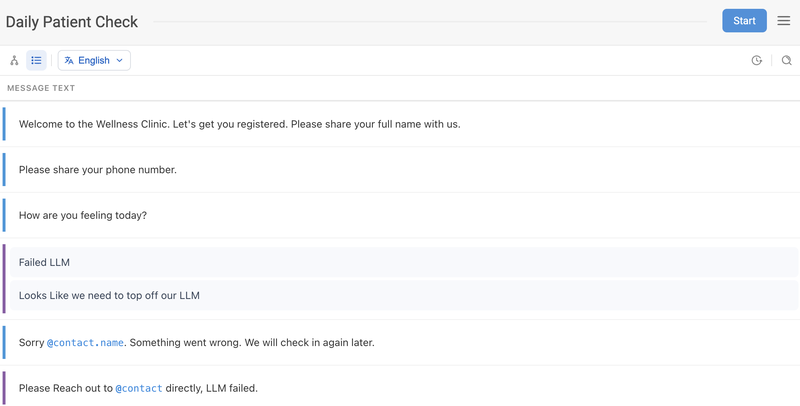
Sometimes, seeing the "big picture" as a map is helpful; other times, you just need to see the text. You can now toggle between two views in the upper left corner:
-
Flow View: The standard visual canvas that allows you to see the logic and connections between your nodes.
-
Table View: A structured list that displays every message in its layout order without any visual reduction. This view allows you to make direct edits to your flow message content within a spreadsheet-style interface.
Translations Made Simple
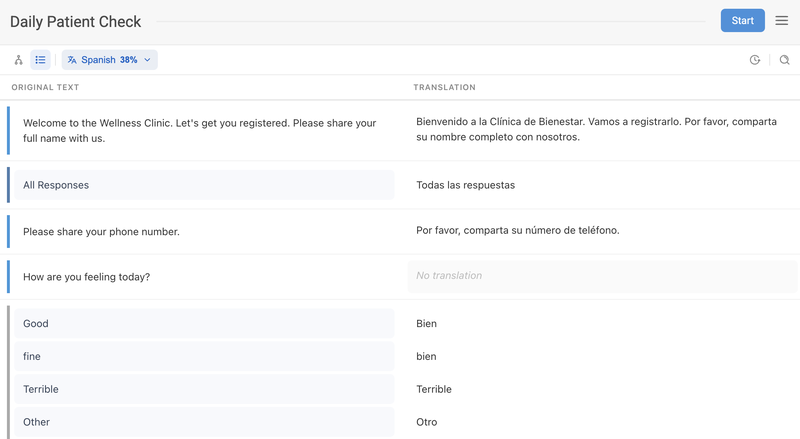
We’ve overhauled how we handle flow translation. When you’re in Table View and select a language, the editor now provides a side-by-side comparison. This allows you to create translations directly in the table or continue doing them within individual nodes.
Other Key Updates for Translations:
-
Progress Tracking: You can now see the percentage of completed flow translations directly from the language toggle.
-
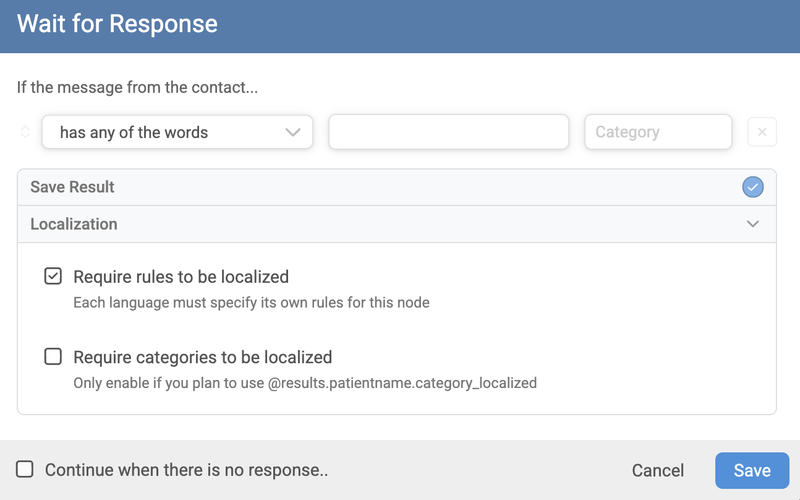
More Control: Localization is no longer a global flow setting. You now decide on a node-by-node basis whether rules or categories require translation. This keeps your translation list clean by excluding simple logic (like "A, B, C, D") that doesn't need localizing.
Powerful New Search
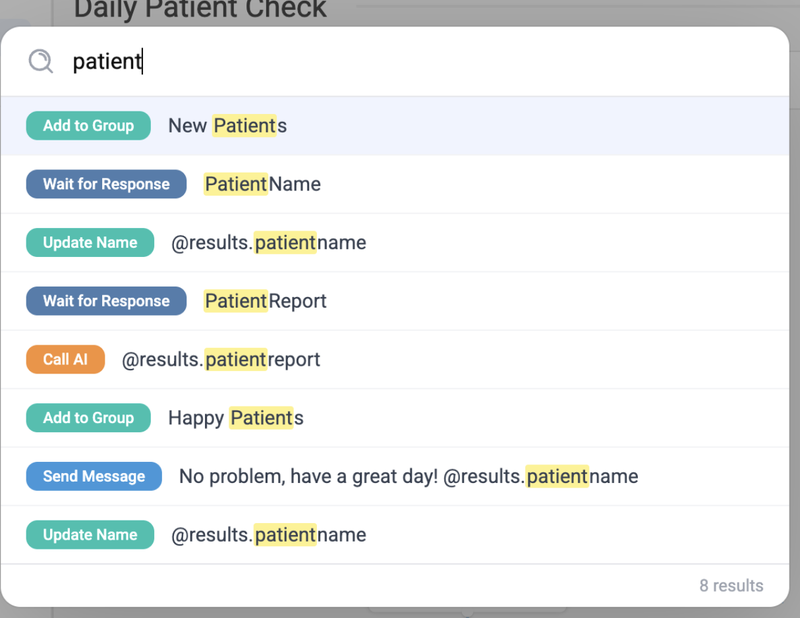
Finding a specific needle in your flow-haystack is now much faster. By clicking the Search Icon or hitting Cmd+F, you can search through message content across your entire flow.
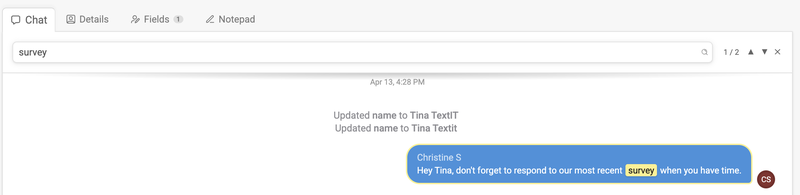
Even better? This search functionality extends to Contact Chat History, allowing you to quickly find specific messages within a contact's past interactions.
The Tool Bar
Translations and Flow Revisions have moved to the top Tool Bar, leaving the Flow Simulator as the only tab on the side of your page.

A lot of work has gone into building a product that truly works for our users, and we’re excited to finally make this change official. We can’t wait to see what you build with these new tools—dive in and let us know what you think!
See more Editor features here.
More from the blog

Changes Coming to Tickets
We have some exciting new features on the way, but we need to make a couple of small changes to tickets in preparation.

A New Look For Campaigns
Smarter Reminders, Fewer No Shows

Meeting People Where They Are
How Early Alert Uses TextIt to Reach Students & Veterans Before a Crisis