
The Call AI action opens up a whole new set of possibilities in TextIt flows. Instead of hard-coding every response or branching logic yourself, you can bring AI into the conversation—right when and where you need it.
Whether you’re building smarter chatbots, improving data quality, or creating more natural user experiences, here are some practical (and fun!) ways to use Call AI in your flows.
One of the best ways to use Call AI is alongside your existing flow logic. Let TextIt handle structure, timing, and reliability—while AI helps with understanding and language.
Think of AI as: - A smart assistant inside your flow - A flexible layer on top of your rules - A way to handle the “unknowns” gracefully
Traditional flows are great at guiding users through structured paths, but sometimes you want a more natural response.
With Call AI, you can: - Answer open-ended questions - Respond conversationally to unexpected inputs - Adapt tone based on the user’s message
Example:
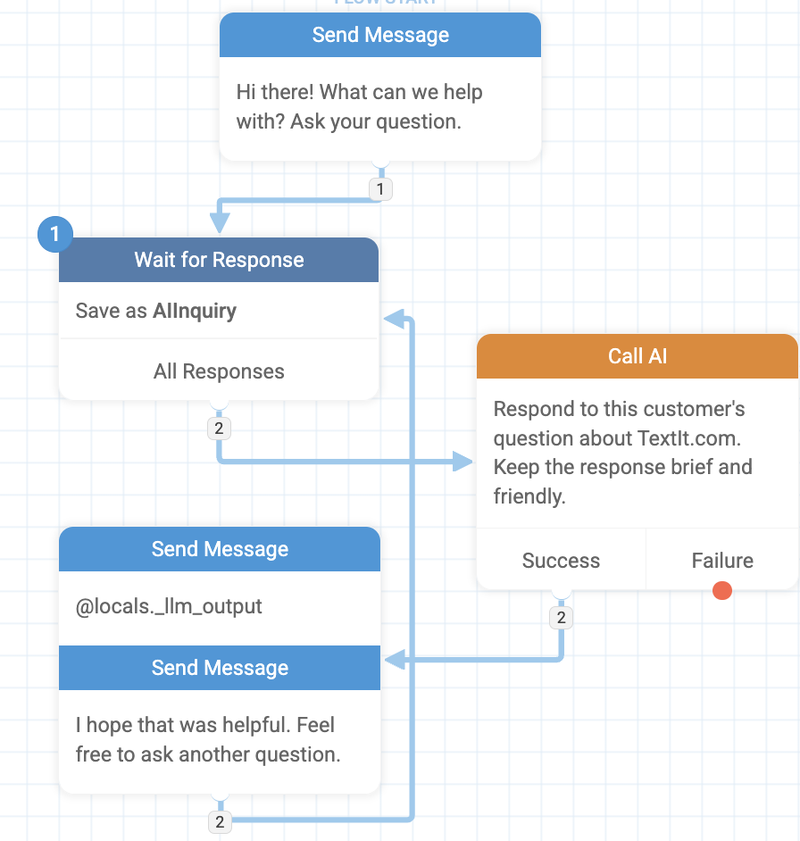
After a user asks a free-text question like “How does this program work?”, send their message to Call AI and return a friendly, plain-language explanation—without needing dozens of predefined paths.
AI is excellent at understanding intent. Instead of asking users to pick from a long menu, let them say what they want and use Call AI to categorize it.
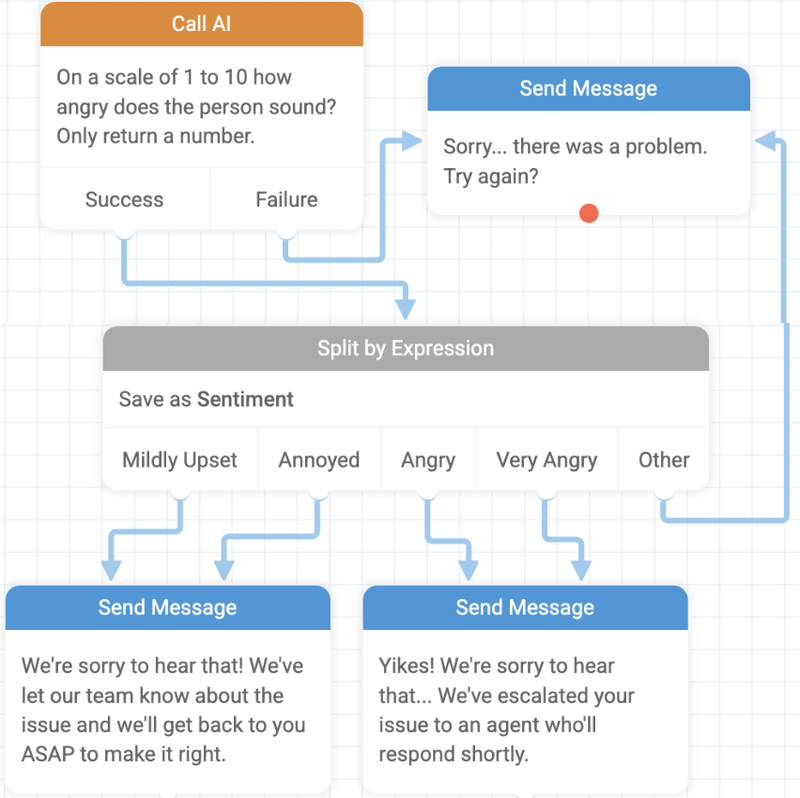
You can use AI to: - Detect intent (support, sales, feedback, opt-out, etc.) - Tag conversations automatically - Route users to the right part of your flow
Example:
Ask the AI to classify incoming messages as billing, technical support, or general question, then route each user accordingly.
Free-text responses are powerful—but messy. Call AI can help clean things up before you store or act on the data.
Use it to: - Standardize names, locations, or job titles - Extract key details from long messages - Validate whether an answer makes sense
Example:
A user replies with “I live near Cape Town, in the southern suburbs”. The AI can extract and normalize this to Cape Town for easier reporting and segmentation.
When users send long messages, it’s not always practical for a human (or a system) to read every word.
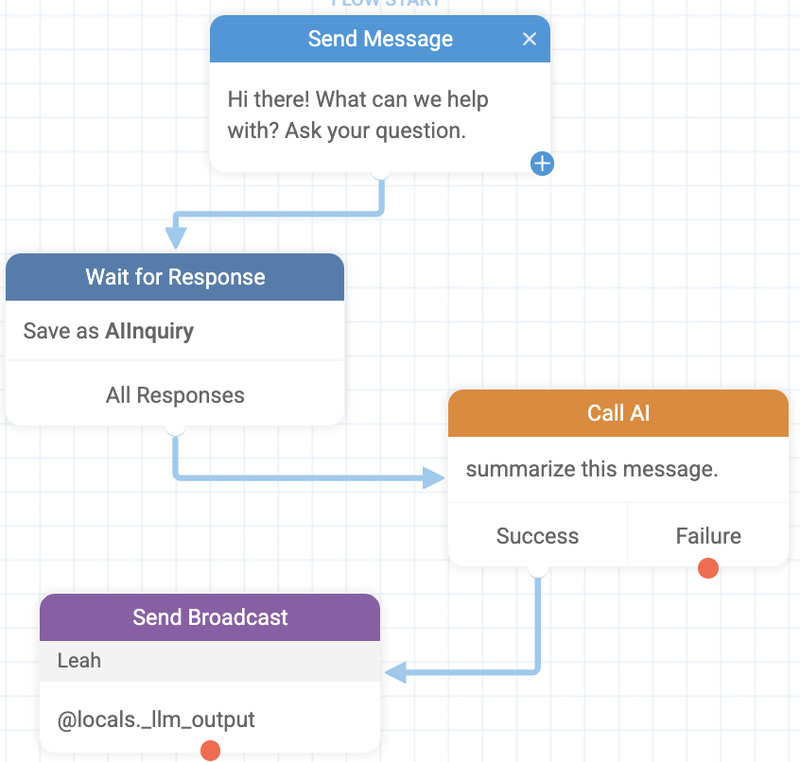
With Call AI, you can: - Generate short summaries of long responses - Pull out key points or action items - Store concise notes in contact fields
Example:
After collecting open-ended feedback, ask the AI to produce a one-sentence summary you can quickly review later.
If your audience speaks multiple languages, Call AI can help bridge the gap.
You can: - Translate incoming messages into a single working language - Translate outgoing messages into the user’s preferred language - Keep your flow logic simple while supporting many languages
Example:
Detect that a message is in Spanish, translate it to English for processing, then send a Spanish response back to the user.
You can also use your LLM to automatically translate your flows. See more here.
Because Call AI can use context from the flow, you can generate messages that feel tailored—without writing hundreds of variations.
Try using it to: - Personalize follow-ups based on user history - Adjust tone (formal vs. friendly) - Reference earlier answers naturally
Example:
“Write a friendly reminder using the user’s name and referencing that they signed up last week.”
The Call AI action gives you a powerful new tool—but it works best when paired with clear goals and thoughtful prompts. Start small, experiment often, and see where AI can reduce friction or take your automations to the next level.
Feel free to reach out on our chat widget if you need any guidance on connecting your LLM or using the Call AI action. We can’t wait to see what you build with it 🚀